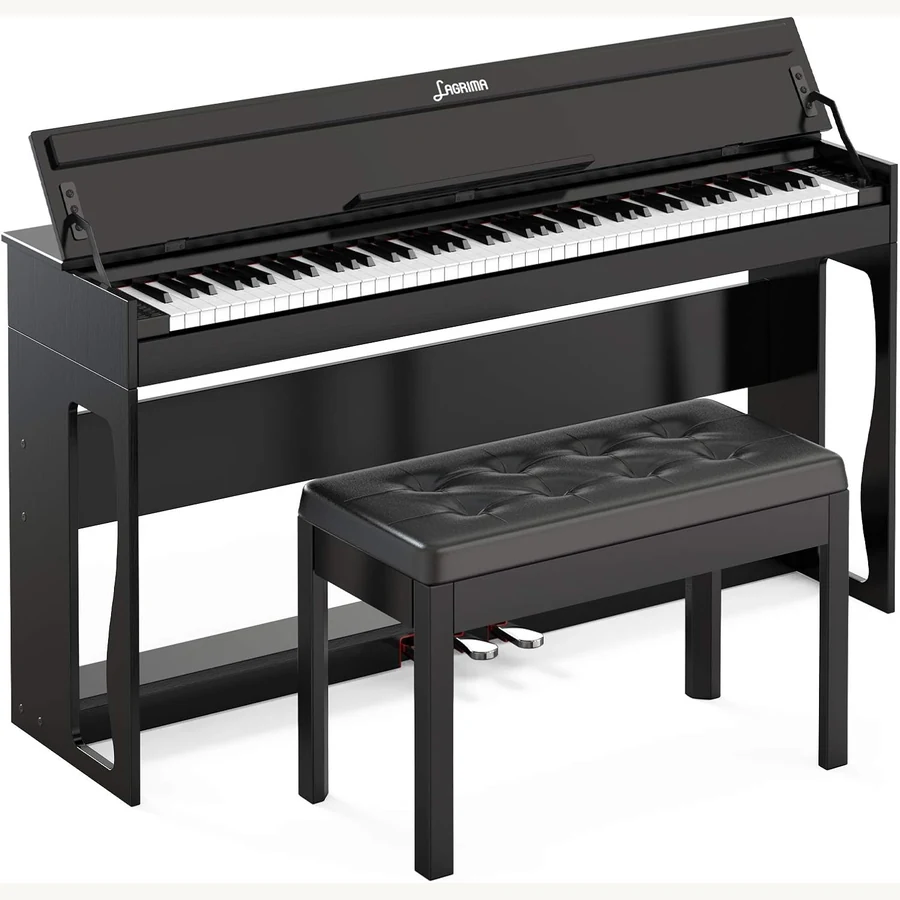
Voice and lesson modes
Split mode puts bass left and treble right — ideal for duet practice alone. Layer mode stacks strings under piano for ballad experiments without recording gear.
Metronome clicks should stay under headphone volume to protect young ears. Start at 70–80 dB effective level max for children.
Cleaning and environment
Wipe keys with slightly damp microfiber only; no alcohol on printed panels. Keep the piano off exterior walls if your climate swings humidity — digitals tolerate more than acoustics but electronics dislike condensation.
Troubleshooting quick list
No power: recheck adapter label and outlet. Stuck notes: power-cycle after checking pedal plugs. Bluetooth drops: remove pairing and re-add with piano in pairing mode.
When not to DIY
Keybed removal, speaker replacement, and power board swaps need service tools. Note symptoms, serial number, and purchase channel before opening a ticket.
In summary
Good setup is slow setup. Budget one unhurried afternoon, follow the cards below, and play a five-finger exercise before calling the job done.
First power-on
Wait until assembly is complete before connecting power. Run a quick octave walk to confirm every key speaks and release cleanly.
If a key sticks, power off and check for foam packing strips left under the keybed — a common first-boot fix.
Recording basics
USB MIDI to a laptop captures note data cleanly. For audio demos, use the headphone output into an interface rather than phone mic hovering over speakers.
Set DAW buffer to 128 samples for casual tracking; lower only if you hear clicks on older laptops.
Child supervision
Teach kids to power down after practice and never hang on music rests. One leaned elbow can warp hinges over months.
Seasonal checks
Before school year starts, retighten stand bolts, wipe keys, and test Bluetooth pairing after summer OS updates on family tablets.
Documentation habits
Save PDF manuals to cloud storage and photograph cable routing. When you sell the piano later, buyers pay more for documented care.
Write the firmware version on a sticky inside the music compartment after each check. Support questions move faster with that detail.
Teaching remote
Video lessons need camera height at key level, not ceiling POV. A phone on a light stand beside the music rest shows hand shape better than wide room shots.
Factory reset caution
Some models wipe lesson songs on reset. Export favorites via USB before experimenting with panel resets during troubleshooting.
If Bluetooth pairing fails after reset, delete old device entries on your phone — stale pairings block new handshakes.
Humidity and heat
Do not set consoles against radiators or baseboard heaters. Heat dries felts inside pedals and can warp music rests.
Garage storage between semesters is risky unless climate controlled. Condensation on circuit boards causes mysterious note ghosts weeks later.
Weekly routine
Five minutes each Sunday: dust keys, check stand bolts, plug headphones to confirm both jacks work, and play a chromatic scale listening for stuck notes.
Log practice minutes in a notebook or app — beginners improve faster when parents celebrate streaks instead of only correcting wrong notes.
Owner checklist
Before calling support: confirm adapter label, reseat pedal plugs, try factory headphones, and note whether issues happen on all voices or just one patch.
Support resolves faster when you record a ten-second video of stuck keys or display flicker — audio issues are harder to diagnose by email alone.
Firmware updates
When updates are available, apply them before lessons resume after long breaks — MIDI and Bluetooth stacks evolve with phone OS releases.
Never power off mid-update; wait for the panel to return to normal voice selection before unplugging.
After updating, re-pair Bluetooth devices and run a quick scale with metronome to confirm timing still feels natural in your favorite lesson app.
Print a one-page quick-start sheet for babysitters or grandparents who supervise practice — panel photos with arrows beat verbal phone instructions.
Store the original box flat in a closet if space allows — resale and warranty shipping are far easier when factory foam is still available.
Label the box with model number and purchase date for faster support if you move cross-country.
Keep silica gel packs from the carton if you store the box in a damp basement.